Home | Stories | Reviews | TreoCast | Treo Store | Accessories | Software | Discussion | Mobile | About | Search
 
treocentral.com >> Stories >> Guides
Tutorial: Iconoclastic Art

Tue Jun 19, 2007 - 9:55 AM EDT - By Harv Laser

Never Fret on the Details

Part of the measure of how realistic an icon is does not depend of actual realism, but rather on illusory combinations of the elements that make it up. For instance, it's totally impossible to make an icon of the Mona Lisa with any semblance of realism by trying to map it out pixel by pixel. Rather, you’re going to have to blend colors efficiently on your tiny canvas, in order for the final product to resemble the Mona Lisa.

In line with this, it’s crucial that you always maximize your color palette, and make proper use of color swatches, IF the color picker you are using supports them. Most do. (Color swatches are little boxes which you may drag the selected color to for use later.) If your editor doesn’t support swatches, you may wish to make exact notes of the RGB values of the colors you frequently utilize so that you can go back to them in the future.

It takes time to learn how to make the most advantageous use of this kind of graphical illusion, so don’t fret if you have difficulties with it.

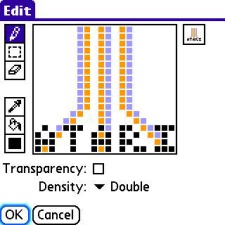
Here are some good examples of illusory images:
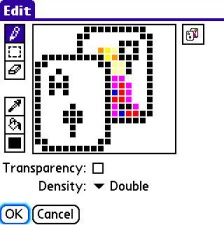
Naturally, if you’re using a black & white icon editor, you can’t use color or shading to make these illusions, so you’ll have to resort to more traditional or drastic techniques and make heavy use of staging to pull off your finished design.
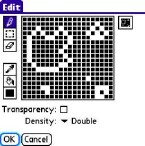
This icon uses only black and white pixels with staging to illustrate the classic video game “Asteroids”:


Shady Business

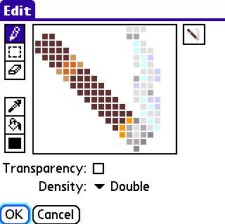
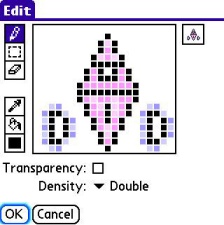
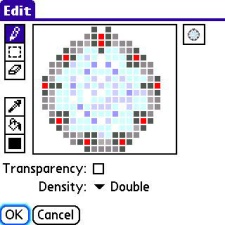
Another important thing to remember is that without proper shading, an icon will look totally flat and bland. To employ shading techniques, choose a color that contrasts the primary color slightly, either darker or lighter. This lets you give the illusion of depth to an icon, thus making a circle a sphere, a square a cube or box, or a diamond sparkly. Try out a range of different hues until the images look just right, then remember what combinations you used so you can repeat them the next time you need to do so.

Try this technique using these examples as a guide.


Color Me Crazy
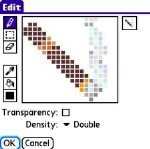
When designing color icons, remember that just as too many cooks spoil the broth, too many colors mixed together ruin an icon. Always make sure that your colors provide a balanced contrast, and never mix them in such a way as that they blur together on-screen in your final product. Remember: too many colors used in an image make it hard to see, so as a rule, four to eight colors are your safest bet. You may offset these with one shade lighter or darker for shading purposes, but try to keep the total amount of colors you use under twelve.


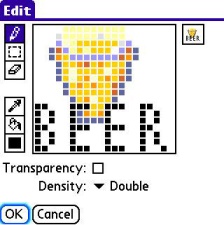
The following designs employ clever use of all of the above techniques.
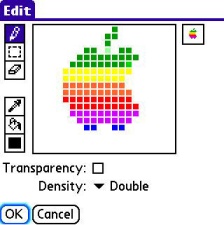
I'd also advise that if you're trying to make an icon that apes a real-world object, corporate logo, or other familiar glyph, have that real thing available to use as a reference. For example, when I made the Apple logo above, I had an image of the old Apple logo on my laptop to use as a reference. Flip back and forth between the big image and your final product to compare them, and adjust as needed until you reach an outcome that is appealing to you.

Like any other up-close work, sometimes you'll get so absorbed in it, you'll just plain get bleary-eyed, lose your focus and get stuck, stare at the screen, and feel lost.. artistic block, just like writers' block.. at those times, do whatever it takes to refresh yourself.. get up, have a snack, listen to some music, walk the cat, take a nap, until the muse strikes you again..


Next Page: End Results >>



Treo accessory store
 
References
Actions
> Print this page
> Digg!


Cases

Chargers

Bluetooth

Headsets

Keyboards

Memory
Protectors Cradles
Styli


More Treo Accessories

 Leather Side Case
Palm Side Case
Side-loading leather belt clip case
Just $24.95 BUY

More Side Cases
Stylus (2 Pack)
Palm Stylus (2 Pack) for Treo Pro
Keep extras at home and at the office.
Just $14.95 BUY

More Styli
Micro-USB Travel Charger
SPE Micro-USB Travel Charger for Palm Pixi / Treo Pro, Treo 800w
Fold in plug makes it more compact
Just $9.95 BUY

More Wall Chargers
Treo Screen Protectors  (3-Pack)
Screen Protectors for Treo
Protect your screen!
Just $12.95 BUY

More Screen Protectors
Pen Stylus  (3-Pack)
SPE Pen Stylus for Treo 755p, Treo 750
Pen and Stylus in one! (3-Pack)
Just $14.95 BUY

More Styli
Leather Zip Case
Palm Leather Zip Case for Pixi

Just $36.95 BUY

More Pocket Pouches
Slip Case
Palm Slip Case for Pixi

Just $27.95 BUY

More Pocket Pouches
H17 Bluetooth Headset
Motorola H17 Bluetooth Headset

Just $89.95 BUY

More Wireless Headsets
Micro-USB Travel Charger, Touchstone Compatible
Seidio Micro-USB Travel Charger,Touchstone Compatible for Palm Pixi, Pre

Just $19.95 BUY

More Wall Chargers
Media Cable for iPod
RedFly Media Cable for iPod for Treo Pro, Treo 800w, Treo 750, Treo 700wx, Treo 700w

Just $29.95 BUY

More Mobile Companion
BackBeat 903 Stereo Bluetooth Headset
Plantronics BackBeat 903 Stereo Bluetooth Headset

Just $89.95 BUY

More Wireless Headsets
Cruiser Bluetooth Car Kit Speakerphone
Jabra Cruiser Bluetooth Car Kit Speakerphone

Just $89.95 BUY

More Speakerphones
HS-500 Bluetooth Headset
BlackBerry HS-500 Bluetooth Headset

Just $69.95 BUY

More Wireless Headsets
 
 
Creating smartphone communities
Android Central - Android reviews, news and forums Crackberry - Blackberry news, reviews and community TiPb - iPhone news, accessory reviews & forums
Pre Central - Palm Pre Review, News and Community Treo Central - Treo & Centro News and Forums WMExperts - Windows Mobile Reviews & News

Copyright 1999-2009 TreoCentral. All rights reserved : Terms of Use : Privacy Policy

TREO and TreoCentral are trademarks or registered trademarks of palm, Inc. in the United States and other countries;
the TreoCentral mark and domain name are used under license from palm, Inc.
The views expressed on this website are solely those of the proprietor, or
contributors to the site, and do not necessarily reflect the views of palm, Inc.

Explore more: The iPhone Blog | WM Experts | Crackberry | CentroSpot | Android Central
Smartphone Accessories: Windows Mobile Accessories | iPhone Accessories | Blackberry Accessories
Fuze Accessories | G1 Accessories | Xperia Accessories | Touch Accessories | Instinct Accessories
Bold Accessories | Blackjack Accessories | HTC Accessories | Centro Accessories | Motorola Q Accessories
Mogul Accessories | Tilt Accessories | Nokia n95 Accessories | Duo Accessories | Verizon XV Accessories
Dash Accessories | Shadow Accessories | Voyager Accessories | Venus Accessories | Touch Accessories
Curve Accessories | Dare Accessories | Venus Accessories | Curve Accessories | Bold Accessories
Omnia Accessories | Incite Accessories | Epix Accessories | Saga Accessories Pre Accessories