In this on-going series of articles (read Part 1), were exploring, you and I, the new Palm Centro, that sweet little powerhouse you just got to organize your life with. Or not. What? Youre reading this because you want a Centro and dont have one yet? Sweet! Well start by going shopping.
The Centro is currently the exclusive domain of Sprint, so although you can buy one directly from Palm or other sources, in order to be useful as a phone it must hook up to Sprints cellular network. That will eventually change, so if youre reading this a few months or more from the date it was posted, interpolate as necessary.
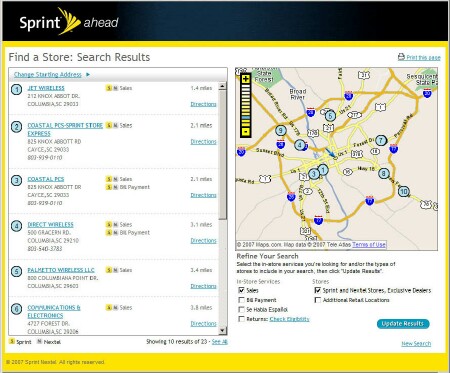
I bought one of my smartphones from Palm, and even bought another one off of an e-Bay vendor, but this time I went to an actual Sprint store. To find a store (I have no patience with buck passing), I browsed to www.sprint.com and clicked Find a Store. After entering my street address I got a list. The place I selected is only six or so miles away - although I did have to deal with some mean traffic to get there. We call it the Garners Ferry 500. Indianapolis got nuttin on on us.
Fortunately, the stores in a shopping center with several coffeehouses in which to soothe the nerves after the harrowing drive.
The Shopping Experience
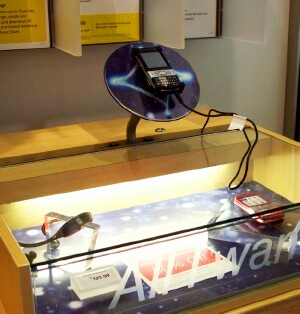
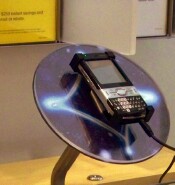
Once in the store, I easily found the Centro display, right next to every competitor known to man or beast. I lurked a bit, watching what other people did, and noticed that some people didnt like the stylus which you dont have to use if you dont want to and some people didnt like an adjacent competitors lack of a stylus. Matter of taste, as they say.
Many people asked whether the Centros touch screen was actually fingertip touchable it is or whether the stylus was the only thing that would activate it. It isnt. Thats a good question, so heres the long answer: it doesnt matter. In fact, you can use the Centro any way youre comfortable with. Tap with the stylus, navigate with the 5-way buttons, or (in most contexts) press the first letter of your selection on the keyboard.
For example, to fire up the browser (Blazer on Centro), get the menu (Apps in PalmSpeak) by pressing the Home button. It has a little house on it. Then simply press w on the keyboard. Thats the first letter of Blazers icon on the Apps screen stands for Web, see?
You dont have to retrieve the stylus or use your fingernail (which will work fine) on the scrollbar at the right side of the screen to roll the display down. Pressing w highlights the icon, after which pressing the center button launches the app. Simple!
This is how I use my Centro most of the time, unless Im already doing something with the stylus and its handy. This method is one-handed, for the most part. I can thumb the keys while holding the svelte Centro in my palm.
You could also tap the icon with your fingertip or with the Centros stylus. And any combination of these works fine. The device doesnt care what happens. This is one reason I like the Centro. It works the way I want to, even if Im not consistent. And Im not.
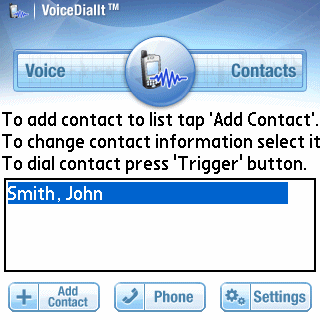
To control your Centro by voice (another often asked question), you need some additional software. The feature is not built in. There are competing companies for this add-on, as well as variations on the theme, but a new update (v2.0.7) of VoiceDialIt by Voice-It Technologies specifically addresses the Centro. The company says its currently the only on-device voice dialer for the Centro that doesnt require an internet data plan. I have not yet tested it, but I plan to.
Now back to shopping. I plunked down a paltry $169 for my Centro (some of my other smartphones cost upwards of $550), and filled in a form to get $100 of that back after the standard eight to twelve weeks. Translate: five months, at least. I held out for the red Centro, of course. The store had both black and red, but I decided on red before I even hit the bricks to go there.
This adds the Centro to my Sprint account as a second line. I tried to cherry-pick the kit of services that I added, splurging on unlimited SMS and data plans for it, and signed my life away for a two-year contract that will cost me both arms and a leg to break.
Goodies
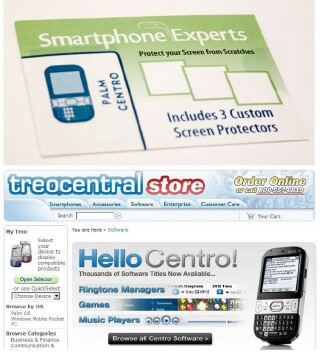
Im one of those people who crave accessories. Give me a computer with ports out the back, and Ill want something hooked up to every one of them. If a boom box has connectors for external speakers, I want external speakers. My main camera bag contains five lenses, of which I only use three.
Centro, too. I wont sleep well till Ive got it all. But I held myself back in the Sprint store and didnt opt for any of their generic-as-all-get-out extras. I want things specific to my Centro, and Im willing to wait the short time itll take before the vendors begin the deluge. For one thing vicious competition is likely to keep costs down. Meanwhile, Im building a list of wants, needs, and would-be-nices.
First and foremost on this list is a screen protector, and Ive got that covered, so to speak. I just rave-reviewed a Smartphone Experts kit of them for TreoCentral. The product does the job admirably. Next stop case, some software, a headset, since Palm didnt supply one in the box, and no reason at all to stop there. Lots more on this later, however. Lots.
Next installment, well get right down to the nitty gritty and explore the Contacts app. Thats the engine for making and taking phone calls on your Centro. Well look into birthdays, caller-specific ringtones, and pictures, answering those frequently asked questions. And more!
Conclusion
Weve gone shopping, grabbed our Centros, and explored a few of the options stylus, buttons, keyboard - for operating the device. If you have burning questions, feel free to email me (click the byline), and Ill try to answer as we go along.





