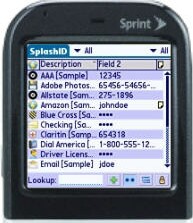
When I began shopping around for password management software, I became quite disconcerted at the average cost of these products and strongly considered sticking to my old tried and true (but foolish) method of using the Contacts database for my passwords. These electronic wallets all tend to average around 30 bucks, so it was never a question of which one is cheaper. (Those that are cheaper will be missing crucial pieces, like a desktop piece with a conduit, or with encrypted databases). All things being equal, after doing extensive side by side comparisons with other sensitive information management products, SplashID (also available for Pocket PC) became my product of choice for quite a few reasons.
Look and feel
SplashID is not the only password management software with a nice interface and pretty little icons to visually identify your records. In fact, if you leave the default interface settings on SplashID, you might find the overall interface a bit more clogged than its competitors, some of which smartly went with smaller icons and a simpler design, but at the expense of some important functionality. But with a little tweaking, the SplashID interface can be made to look prettier than the competition because of how flexible the user interface is. For starters, you typically only need to see two main columns at a glance: the item youre searching on, and its main second field, whether thats a password, credit card number, etc (all the products take just about any category of information you can throw at it). Here is what mine looks like after simplifying the number of columns to two, and adding some purty colors to the title bars.
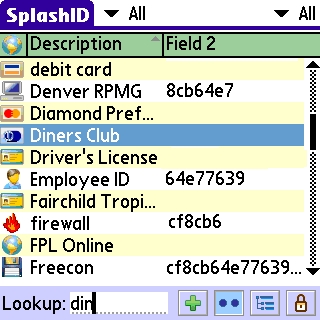
But SplashIDs interface is not only about form. It is also about function. Of the 4 or 5 products I tried, 3 of them were immediately eliminated when I discovered they did not have the type to find function or complete field to field navigation using the 5 way nav. It amazes me that vendors update their products without these basic functions years after the Nav button has been around.
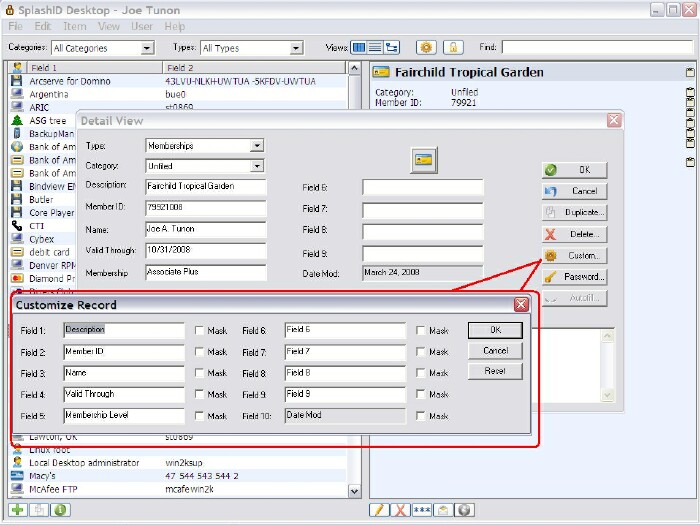
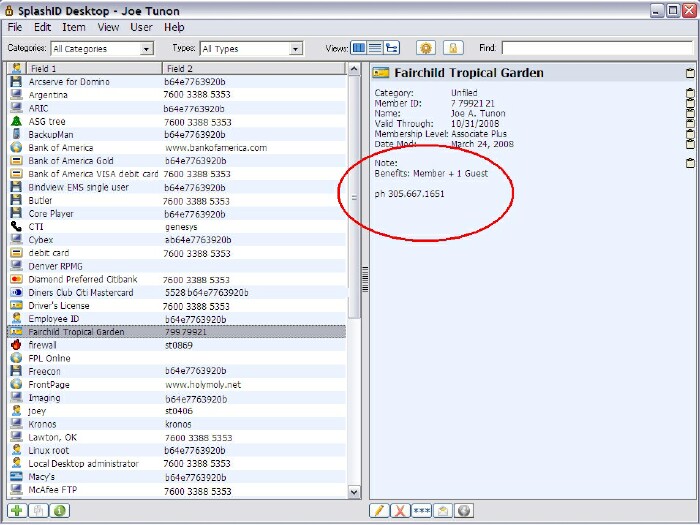
Nevertheless, after ruling out the vendors who have their head in a cave, it came down to two finalists, and SplashID took the cake because of its attention to detail on both the Palm side and the desktop side. While both provide type-to-find searches and fully functional 5-way nav access to all fields, SplashID allows more customization, more intuitive masking and unmasking of whatever fields you choose, and has by far the most comprehensive and easy to use desktop piece. In a finer detail overlooked by the runner up, SplashID follows the less is more principle when it comes to clicking your way to the information youre trying to get to. Both products include a note field for each record, where you can freely type text that you prefer to freestyle than include in a field in your record. But to see this information on the desktop version of the competition, you have to click on the note icon to get to it, whereas in SplashID they thoughtfully included the content of your notes in the main view alongside all of the field information. Sound like a trivial detail? Its not when youre on the phone trying to get your information as quickly as possible. At the same price, one less click is nice!
Note: Click on the two pics below in order to view full size.
Functionality
As I mentioned I was quite resistant to shell out so much money for what seemed to be a simple password database. But after using the software throughout the duration of the trial, I realized just how often it is that we look up this information. It is nice to be able to look up your credit cards on the Palm instead of pulling out your wallet or purse to get this information. Once you get used to it, particularly looking up the information on your desktop if you dont even feel like looking it up on the phone, you may also change your mind entirely on the price tag like I did, and discover that this kind of software is indispensable, particularly when you see how well it secures your information.
Security
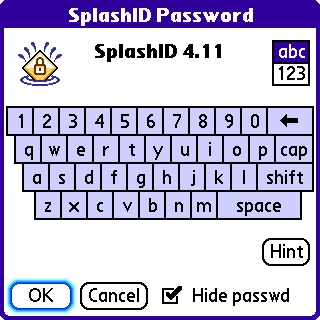
The original reason I even began shopping for a password database was because I finally gave in to my well grounded paranoia that losing my Palm could put all of my sensitive information in the hands of a stranger before I had a chance to remotely lock or wipe it (sending an SMS code to it using a separate product like Butler or Central. Just as with other products, this one is password protected, hides the password while you type it, and encrypts your data under the hood, and with no noticeable lag time. Here there is a tie with the competition, which offers similar features.
The only negative detail I could find (which is not unique to SplashID) was that whenever you edit a record on one side or the other (Palm or Desktop), instead of giving you the option to overwrite one side or the other, it duplicates the records and gives you the notice at the end of the hotsync informing you to delete the older record. This is actually less of a deal since SplashID nicely includes the date that you created the record as its last field, making it easy to see which version of it is newer.
Conclusion
After using SplashID next to all of the competition, SplashID provided the same level of security you would expect for this kind of product, but came out WAY ahead when it came to the flexibility of its interface (both on the desktop and on the Palm), the attention to functionality allowing you to get to your information in the fewest clicks, and finally, it looks fantastic, and not at the expense of its functionality. Use this product during its nice long trial, and you will quickly feel that your information is not just secured, but much easier to get to than with any other method.
|
|
| Pros |
Most comprehensive field and interface customization
Password masking
Desktop piece and conduit included
Quick find by typing
|
|
| Cons |
Pricey (but you get what you pay for)
Duplicates instead of overwrites edited entries |
|





