Double take noun -- a rapid or surprised second look, either literal or figurative, at a person or situation whose significance had not been completely grasped at first.
I was asked to try out Toysofts QuickTake software shortly after I turned in my
review of mySchedule MLB, also by Toysoft. For that particular article, since I didnt have a screen capture program for my Centro, I improvised and took pictures of the screen using my trusty Canon PowerShot. While that seemed to work fine, it did make me curious to learn more about how the whole screen capture process worked on a handheld device, so I gave it a whirl. True to its name, QuickTake made screen capture a snap and it took no time at all to get the images uploaded to my Mac. However, it was a feature buried on page 5 of the 8-page User Documentation that made me do a double take. The B-side to this software package is software that enhances the picture taking capability of the Centro or Treo. That, by far, was cool enough to justify the $10 price tag (actually $9.95).
Begin at the Beginning:
After downloading and installing QuickTake, I tapped to load it only to be told I needed a microSD memory card to run it (Note: Yes, that is clearly stated in the minimum requirements of the product description. Too bad I jumped in without reading). That wasnt the exact message, but the gist of it. So I hustled over to Frys to get one (honestly, I dont have that much loaded on my Centro where I needed extra memory).
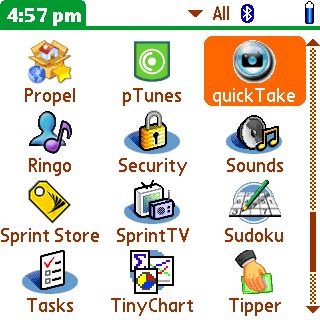
Having resolved that minor issue, I tapped on the QuickTake icon and a setup screen appeared with a few options. To start, simply Enable or Disable by highlighting the words in the box.
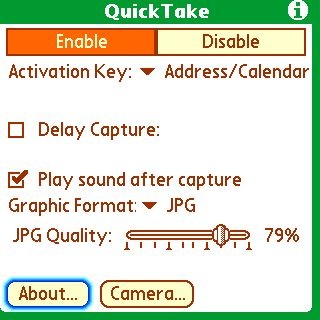
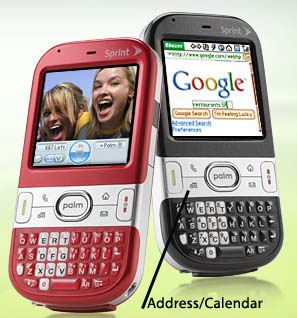
The next thing is to tell QuickTake which key on your device you want to use to trigger the capture: Datebook/Phone, Addresss/Calendar, ToDo/Mail Memo/NotePad or Power Button. I didnt understand Datebook/Phone because to me that would have been two keys. I wanted to keep it simple, so I selected the next option, Address/Calendar.
As for the rest of the options, I left the Delay Capture box unchecked, checked the box to have it Play sound after capture and then went with the defaults (JPG for Graphic format and 75% for JPG Quality.
Capture This! Let the Games Begin:
So then I started loading stuff on my Centro and went to town capturing screens from GoogleMaps, ESPN Mobile, MLB Mobile, and the program I had recently reviewed mySchedule MLB.
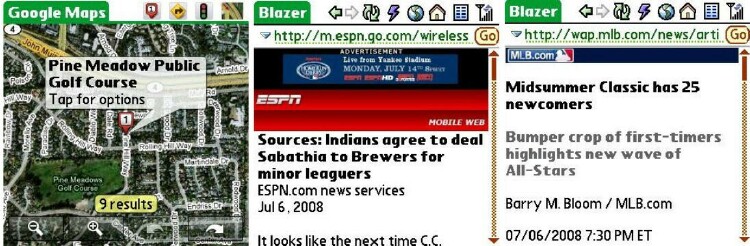
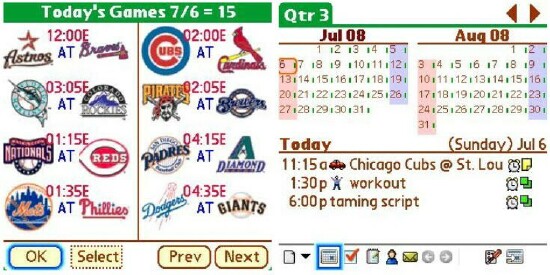
Heres the trick. You have to press and hold the Address/Calendar button for two seconds (seriously, count it off
one thousand one, one thousand two). Then youll see a QuickTake Active message pop up. After another second, a message will read Screen Captured followed by the sound.
Cant get much simpler than that.
Pictures can be easily transferred to your desktop by placing the microSD card from you Centro into your Memory Card Reader and inserting it into the USB port.
The B Side -- Snap & Send:
Now lets move on to the fun part. If you go back to the QuickTake setup screen, youll see an option on the bottom for Camera. If you tap on that, it takes you to another screen that overrides your Centros camera controls.
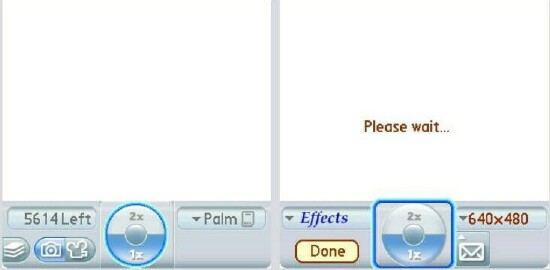
Pictures are still taken using the Centros D-Pad, but the options to the left and right of that button on the screen are different. In the upper left is an Effects button that lets you make changes to the picture before you take it.
There are ten variations of White Balance, Black & White, Sepia, Bluish and, of course, Normal.

Heres one of my pal, Wet Willy in Sepia. And a couple in Normal mode.
Cool stuff, right? Well it gets even better. On the right side of the button, there are two more options. One lets you set the resolution (from 160x120 up to 1280 x 1024) and the other has an icon that looks like an envelope. That triggers the Send With screen and offers you a simple way of getting a picture out of your Centro.
Okay, now pay attention because this is where it gets kind of weird. That envelope actually behaves as an alternate snap the picture key. Intuitively, you want to look at the picture before sending. But I guess in the developers mind, you can always bail out of this procedure if you dont like what you shot.
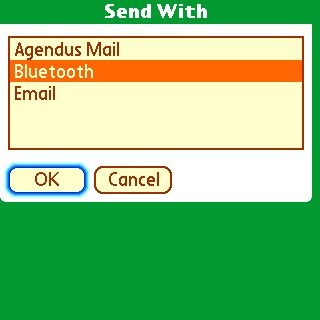
The Send With screen gave me three options for getting that picture out of my Centro. I could use Agendus Mail (my default mail program), Bluetooth or Email. I figured Id play with the Bluetooth option. So I got my Centro and Mac to find each other.
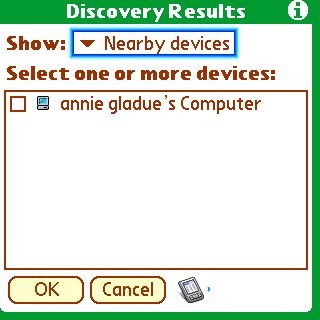
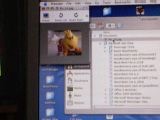
And in mere seconds, after accepting the picture on my Mac, it showed up.
To me, this feature was worth the price of admission. No fumbling getting that silly microSD card out of my Centro. Just click and tap and whoola! Theres the picture.
Conclusion:
I give this software a 4 out of 5 rating. The interface has a few quirks, so it took a little getting used to. But before long, I was really enjoying using it and especially how easy it made transferring images from my Centro to my Mac PowerBook. Clearly the picture-taking feature should be the lead punch. It does screen capture well too, but thats something that fewer Centro/Treo owners need.
If you want to make better use of your Centro/Treos camera, then give QuickTake a spin. Im fairly confident that before the Free Trial period is over, you will have pulled the trigger to buy this fine utility.
|
|
| Pros |
Makes screen capture a snap
The QuickTake Camera interface offers many effects to make better use of your built-in Camera
Send With feature in Camera mode makes it all worthwhile!
|
|
| Cons |
Not entirely intuitive
Documentation is weak |
|





