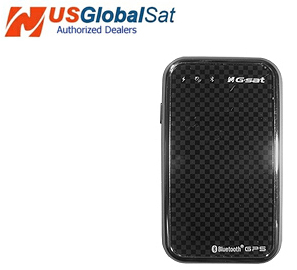
Having no GPS device of my own, when I noticed the GlobalSat BT-368i Bluetooth GPS Receiver in the TreoCentral store, I decided that it would make a good candidate for a review! The stores description sounded quite intriguing:
The BT-368i communicates with a host device (such as a PDA, Laptop, or Smartphone) using Bluetooth 2.0 Serial Port Profile (SPP) technology and with a powerful built-in antenna, it still remains compact enough to provide impressive accuracy even while driving among downtown high-rises, or hiking under dense foliage without the need for an external antenna. The built-in, rechargeable Li-Ion battery provides up to 10-hours of continuous use from a full charge and with the auto-shut off feature, battery life is extended turning off the GPS when no Bluetooth connectivity with the host is available. Lightweight and easy to carry, the BT-368i is the ideal GPS receiver for most any application whether it be vehicle, aviation, marine or for topographical navigation and is compatible with most all NMEA compliant software sold on the market today.
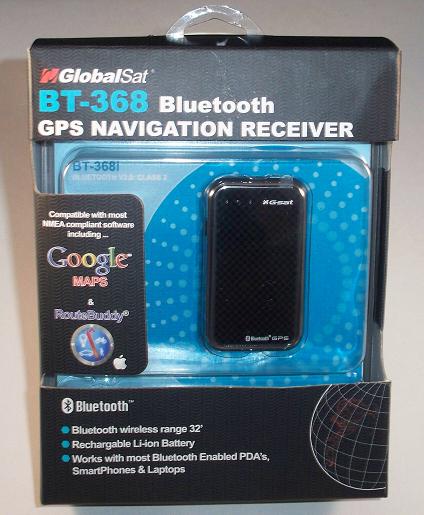
The BT-368i soon arrived and I was eager to test it out! Read on for more!
In the Box
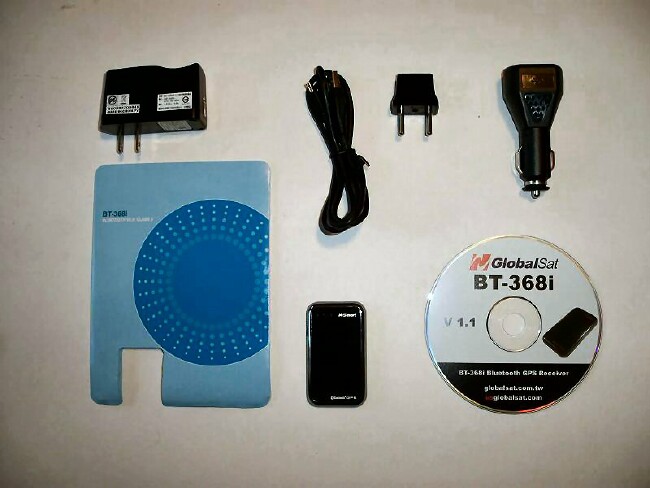
Before I even opened the box, I did a Google search to see if I could read other people's opinions on the BT-368i and didn't find one single review. So, I unpacked the contents and set out to learn about this tiny, black device!
The BT-368i package contents included the BT-368i, a 110V AC wall charger, a US-to-EURO wall adapter, a 12V DC car charger, USB charger cable, a reference sheet and a CD-ROM containing a user manual and GPS info test utility.
Looks and Features
The BT-368i is a small (2.75"x 1.57" x 0.36"), black device with an attractive silver trim. If you tilt it, you'll notice the dark/light checkerboard pattern on the front of the unit that gives it quite the distinctive look. My mother saw it when I stopped by on one of my trips driving to test the unit. She asked me if it was an MP3 player, LoL. It does resemble an MP3 player!
GlobalSat states the BT-368i's rechargeable Li-ion battery is capable of 10 hours of continuous use. I left it on for quite a bit longer than that and it was still charged and running when I checked back with it. The 10 hours can be extended, as when no Bluetooth connection is detected, the unit turns itself off. The BT-368i is a Bluetooth 2.0 device, so the range is roughly 10 meters or 32 feet.
Being as small as it is, the BT-368i is also very lightweight - weighing in at less than an ounce (.96ounce) according to the specifications!
Using the BT-368i
After charging the BT-368i overnight using the included AC adapter and powering it on, I watched as the lights began to dance while it searched for satellites with which to connect. There are actually 3 status lights which indicate the unit is on, Bluetooth status and a GPS signal indicator.
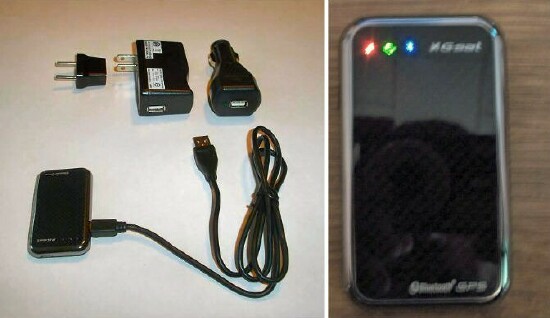
The instructions said it may take up to 3 minutes, so I started tinkering with my Treo 750 in order to create some sort of connection between the 2 devices.
Having never worked with a GPS device, particularly with a mobile device, setting up and using the BT-368i was pretty frustrating!
Try as I may, I could never get Google Maps to allow me to use GPS, as it would always give me a can't use GPS function error.
After 30 anger-filled minutes, I looked through the programs/settings on my Treo 750 and found the External GPS under Settings/System. Once I set the GPS program port to Com1 and the GPS hardware port to COM0, I was able to successfully enable the 'use GPS' setting in Google Maps and was immediately shown my current position. Whew, what a relief that was!!
The BT-368i is compatible with most NMEA compliant software, such as Google Maps and RouteBuddy, so I installed Google Maps, as I've actually worked with it before.
Once Google Maps was running and the 2 devices were communicating, I was presented with my location - represented by a blue dot. I chose 'Use GPS' from the options menu and the combined devices were soon connected to/communicating with 7 satellites. As a test, I drove around for about 10-15 minutes - noting that as my location changed, the blue dot would soon update to represent my new location.
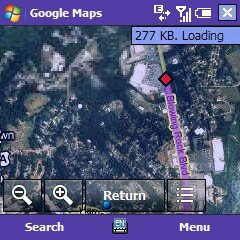
I tried to view the local traffic using the 'Show Traffic' option, but would always receive the message 'Traffic Unavailable'. I'm not sure if that happens often or if it's due to my location and the satellites just aren't concentrating on such a small town as Lenoir.
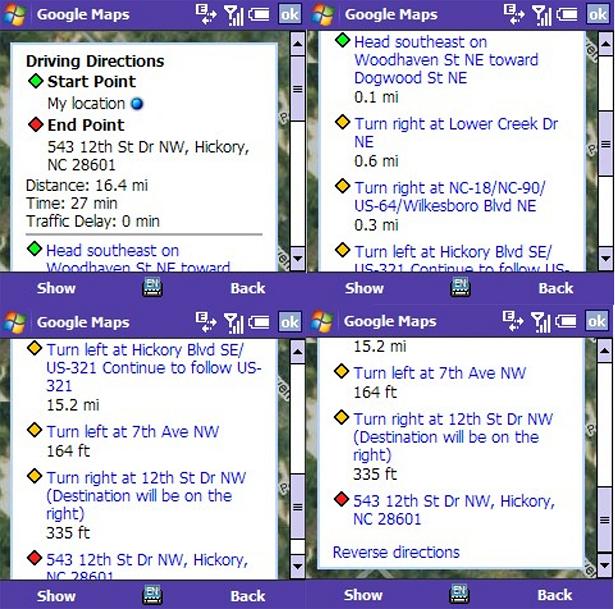
The Directions option works fine for me, as it always has when using just Google Maps with no GPS device. The only difference is that I have a real-time tracking of my location as I move and carry the BT-368i with me. I plotted at least 8 different routes to places I already know the best route to, and the BT-368i/Google Maps combination pretty much gave me the shortest routes available. Of course, I tend to take a few back roads and my routes may seem unconventional to most - especially to a device that uses strict guidelines when plotting a course. Below I've pictured directions from my house to a place I worked for years back and also a snapshot of the course in progress.
Conclusion
I can't really think of any advantage of using the BT-368i over using an ordinary GPS unit you'd install in your car or even one you can carry with you even as you leave your vehicle, other than the extremely small size and portability. The BT-368i is a beautiful device and so lightweight that you'll probably forget you're even carrying it. But, there's something it's missing when compared to said automotive GPS devices - there is no interactivity. No buttons to push, no voice instructing you to turn left or right, no screen to even look at - other than the screen of your mobile phone.
The BT-368i does what it's designed to do, and does it well. Also, it will match up nicely to some of the higher end phones on today's market with its elegant good looks. But, in the real world, give me a good old-fashioned Garmin mountable GPS unit I can push a button and get feedback from and a human voice instructing me where I need to turn instead of having to look at the rather small screen of my Treo 750.
Should you desire a small, sleek, stylish Bluetooth GPS Receiver, though, the GlobalSat BT-368i is just what you're looking for! It's available in the TreoCentral store for $99.95, so head on over and get it today!
|
|
| Pros |
Small, lightweight and attractive
10 hour continuous use time
Quick to communicate with satellites
Works well in conjunction with Google Maps
|
|
| Cons |
No self-contained view screen
No traffic view, at least in my area
No voice feedback
A bit expensive for the purpose it serves |
|





